
ENTRANCE APPLICATION
for DESIGN and VISUAL COMMUNICATIONSEffective Spring 2026
This page describes the requirements and expectations for the entrance portfolio for the Design and Visual Communications (DVC) degree at Western Carolina University. All students who are interested in studying DVC must submit a portfolio before they can officially join this program. Please follow all instructions below when submitting your portfolio.
All entrance portfolios are reviewed once a year in February.
The next portfolio submission due date is Friday, February 19th, 2027.
For Current WCU Students
Please submit your portfolio by the due date. If you have questions about the requirements or expectations for the portfolio, please contact Madeline Dnyanmote at mmclaughlin@wcu.edu.
For Transfer Students and High School Seniors
This entrance portfolio is NOT for those transferring from another school into Western Carolina. If you are transferring and are interested in the DVC program, then please contact the admissions office.
This Entrance Portfolio is also NOT for high school seniors. If you are an incoming first year, then you will be given an academic advisor during your first semester at WCU. This advisor will give you further instructions on how to join the DVC program and when you will submit a portfolio. If you have questions, please contact Madeline Dnyanmote at mmclaughlin@wcu.edu.
Portfolio Overview
The DVC entrance portfolio includes two parts:
1.) A prerecorded video interview
2.) A PDF portfolio
Please follow the guidelines in the sections below when preparing your materials for submission.
VIDEO INTERVIEW
Please record a video, no longer than three minutes, in which you verbally respond to the questions below. Your video should demonstrate professionalism and clearly communicate your interest in joining the design program.
To make your video, create a free account with Loom to record your interview. After recording your interview, copy and paste the share link into the interview field in the application form. Here is more information on how to share from Loom: link.
Some general guidelines for the video:
1.) Make sure you are filming in a location with proper lighting, so your face is visible and clear.
2.) Make sure your camera is steady. Avoid shaky footage.
3.) Make sure your audio is clear. We should be able to clearly hear your voice.
4.) Remove any distracting elements from your background. Film in front of a neutral background.
Answer the following questions in the video:
-
- Describe an art or design project that you are proud of. In your opinion, what made the project successful? Are you proud of the process or the final outcome, or both? What was your favorite part of completing the project? Include the project in your portfolio if possible.
- Discuss an art or design project that was challenging or did not go as planned. How did you address the difficulties you faced? Looking back, what would you do differently now? If possible, include this project – or documentation of it – in your portfolio.
- Choose one word that describes your creative process. Explain or visually demonstrate why you selected that word.
- Please describe how you define the broad field of design.
- What made you decide to apply to the program?
PORTFOLIO CONTENT
Your portfolio should showcase a minimum of 14 different art and/or design projects. Please do not include more than 18 projects.
If you have taken the following courses, then please submit all the finished projects you have completed in these courses:
1.) Intro to Drawing
2.) Intro to 2D Design
3.) Intro to 3D Design
Submit these alongside 1-4 additional projects you have worked on either in other courses or as personal projects. These class projects count towards your 14-18 projects needed for the portfolio.
If you are in the process of taking these courses, then only submit the projects that you have fully completed. You may add more personal projects to reach the 14 minimum.
If you have not taken all the above courses, then you may submit any projects that you have worked on within the last three years. This includes projects that you completed in other classes (college or high school level), projects you worked on independently, or projects you completed as part of an internship or work experience (as long as the company allows you to share the designs).
Example of projects you might want to include
Other possible projects include but are not limited to: animation, video, comics, sketchbook work, 3D designs, sculpture, painting, photography, collage, interactive work, book printing, illustration work, etc. We highly encourage students to submit work that shows both their design skills and their artistic talents. A good quality project is one that has good craftsmanship, showcases creative thinking, shows attention to detail, and makes it clear that you have interest in design.
Projects that are NOT allowed
In your portfolio, do not include the following types of projects:
-
- Projects that use copyrighted or intellectual property
- Fan art
- Works that directly take ideas, characters, or concepts from other media
For Students Reapplying to the Program
If you applied to the program previously and were not admitted, you should update your portfolio with new work. Your portfolio should include 10–18 pieces that were not part of your earlier submission. These works should reflect a clear interest in design, strong craft and attention to detail, and creative thinking. All pieces must have been completed within the last three years and may include personal and/or school projects.
If your portfolio was not accepted, it is recommended that you meet with Madeline Dnyanmote to discuss your portfolio’s content.
Building your Digital Portfolio
We recommend you use Figma to construct your portfolio and export the file as a PDF for submission. However, you may use Google Slides or PowerPoint if Figma is not an option.
For each project, please include the following information:
-
- Title of the project
- Date it was made (you only need to include the season and year. For example, “Spring 2025”).
- Size of the project. If it’s a physical project, include its actual dimensions in either centimeters or inches. If it’s a digital project, include the file size in bytes (MB, KB, etc.).
- Material, medium, or software used.
- A one-sentence project description. Tell us what this project was meant to accomplish and why it was made, or describe the final result.
- Class name and professor, if applicable.
When the portfolio is complete, save as a PDF with the naming convention: LastName-FirstName-Portfolio-Design.pdf.
Recommendations for building a high-quality portfolio:
-
- Use high-quality images and photography for your work. If your work is digital, then make sure you are exporting the images at a high resolution. If your work is physical, make sure you are taking photographs in areas with good lighting on neutral backgrounds.
- For photography, we recommend you take your pictures outside around noon on a sunny day for the best lighting. If that is not possible, you can also take pictures near a window on a neutral background, such as a white paper. Use a chair or a step ladder to photograph your work from above.
- Try to avoid using the zoom feature on your phone, as that will lower the quality of the photograph. Instead, move the camera closer to your project until it fills the frame.
- After you take the photos, you can use your phone’s built-in editing features to adjust brightness, contrast, and levels to make the highest quality image possible. If you are not using a phone camera, you can also use a software like Photoshop to edit your photos.
- Make sure your projects are prominently placed in the photograph. Crop out any distracting background details. Remove anything that is not part of the project.
- Proofread for any spelling or writing errors.
- When making your slides, avoid bright background colors, illegible typefaces, or other unnecessary decorative elements that may distract from your projects.
Portfolio Design Recommendations
If using Figma, put each project on a different artboard and export all artboards into one PDF. If using Google Slides or PowerPoint, put each project on a different slide and export the whole presentation as one PDF.
Below are examples of both good and bad portfolio designs. Please design your portfolio sections in a coherent and logical way.
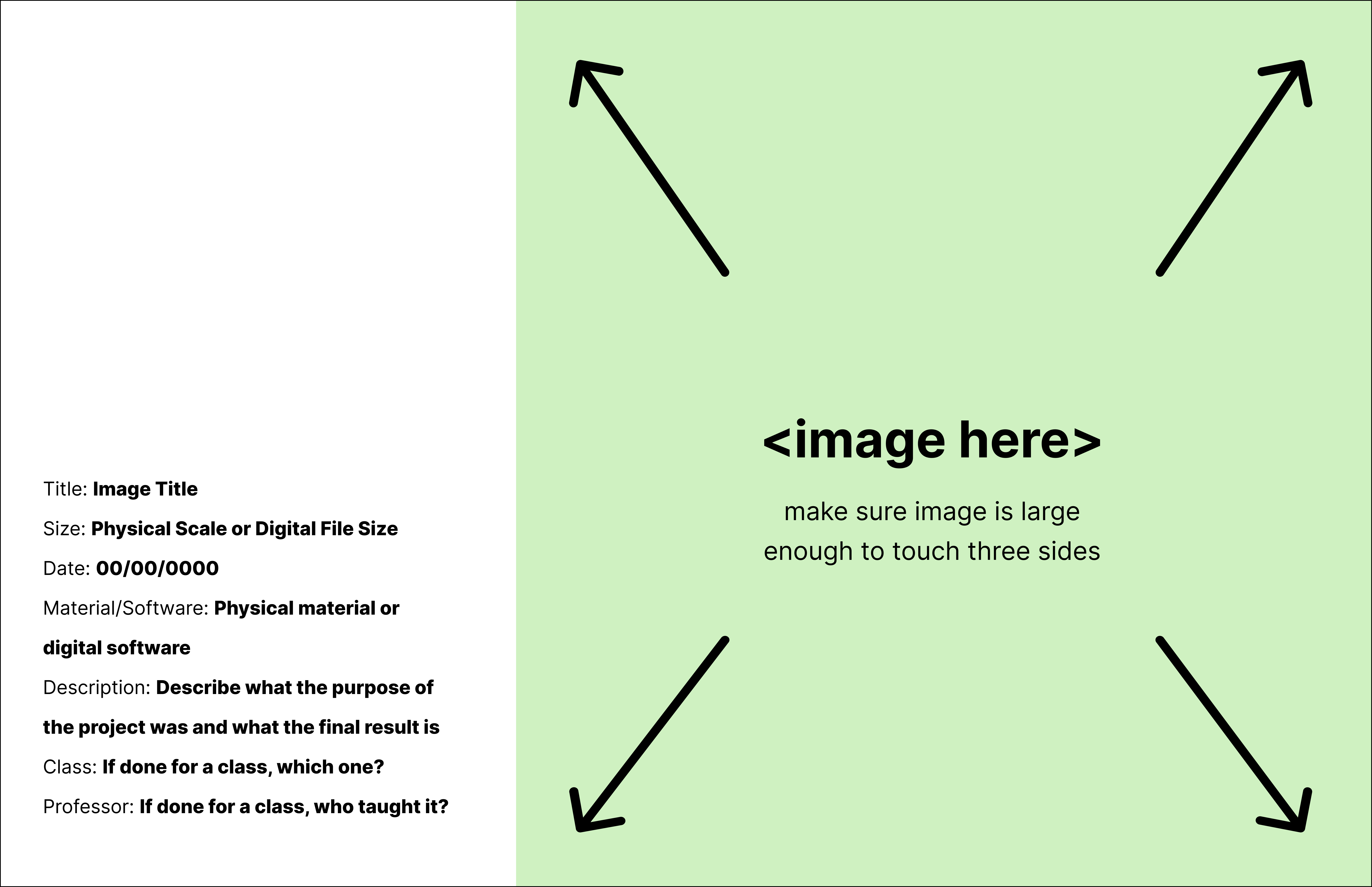
Example 1: GOOD. The project image is large and dominant. The text is easy to read and logically placed. There is reasonable spacing around the text. The section is clean and simple.
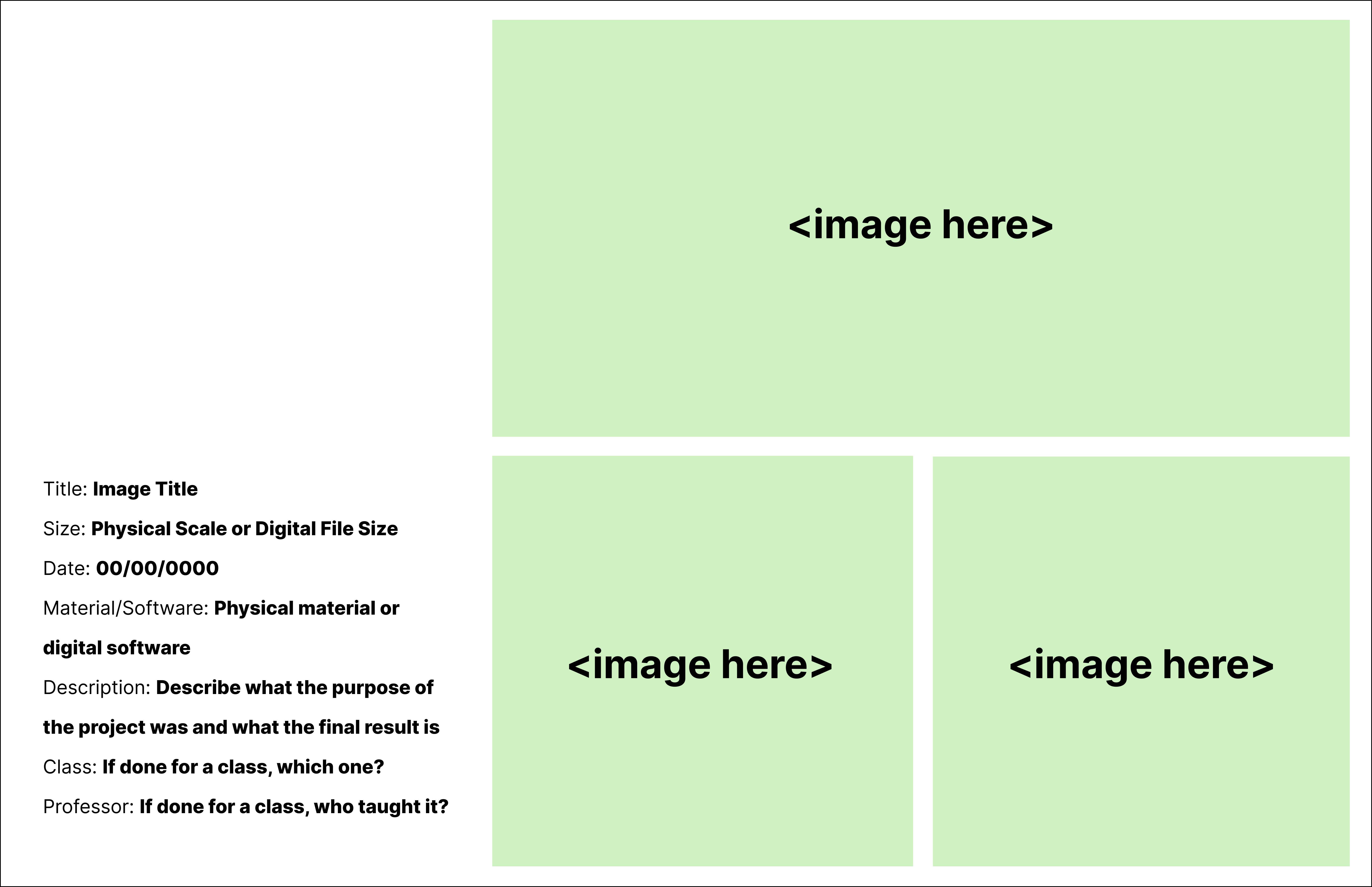
Example 2: GOOD. There are multiple images of the same project. The spacing between these images is consistent. Nothing is too crowded. The text is easy to read. There are no distracting elements.
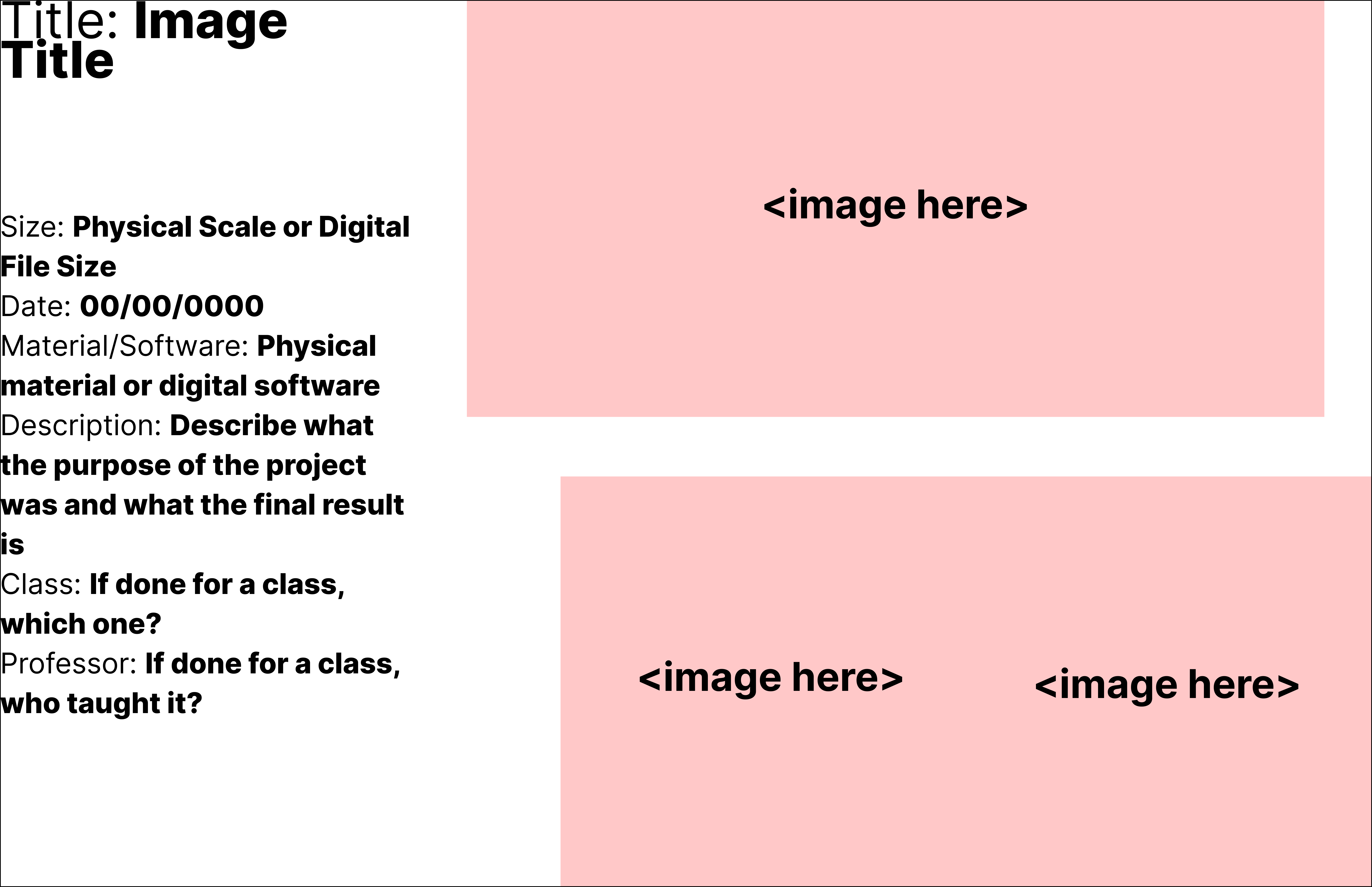
Example 3: BAD. The spacing between images is inconsistent. Images feel randomly placed. There are no margins. The text is too large. The line spacing between the title text is too tight.
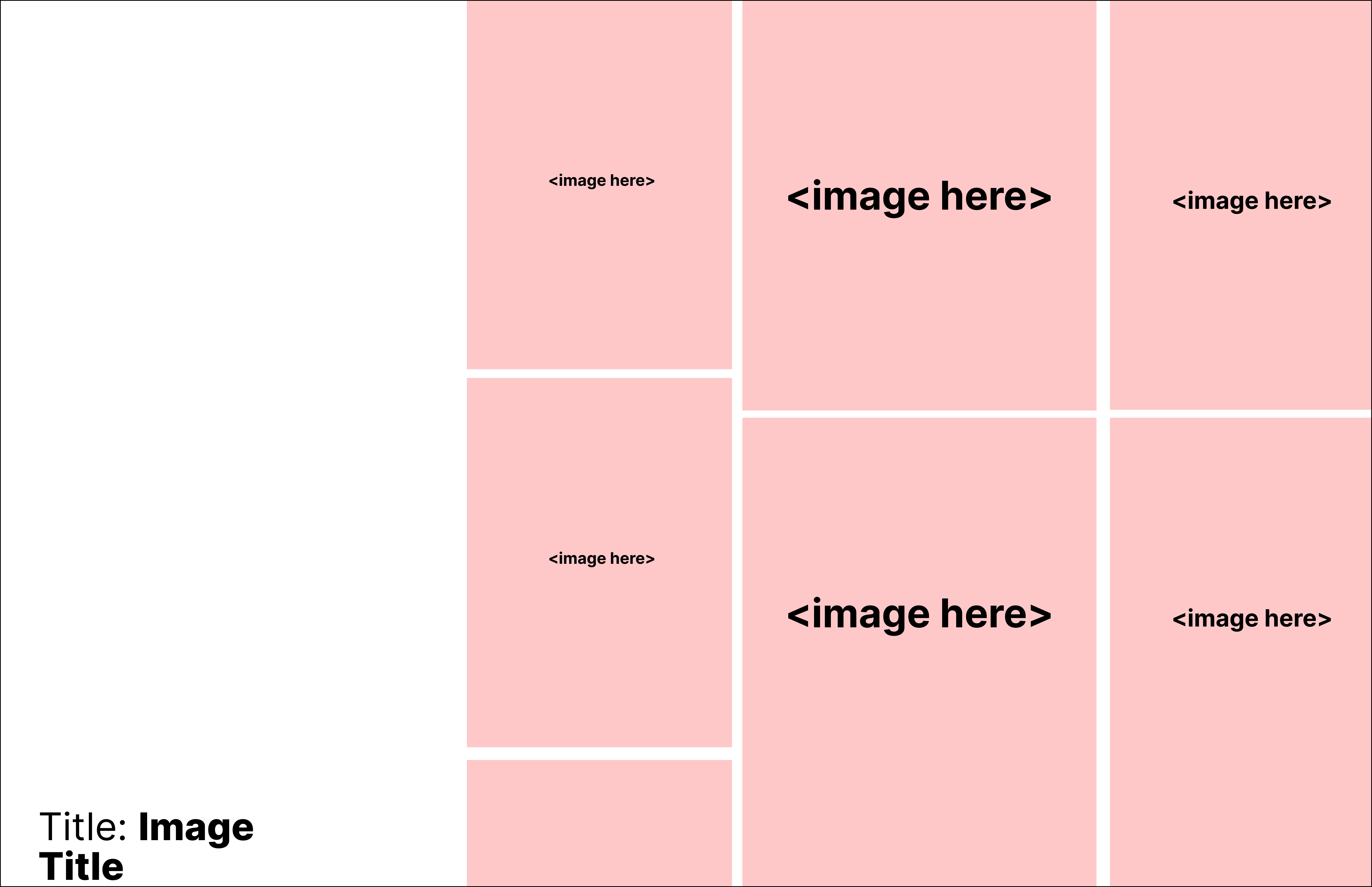
Example 4: BAD. There are too many images, to the point where some are being cropped weirdly or are too small. The slide is missing essential information, like the date and materials of the project. The Title text is cramped and crowded in the corner.
Example 5: BAD. Slide is missing essential information (date, size, material, etc.). The image is poorly placed. The typeface chosen is difficult to read.
Saving and Submitting
SAVE your portfolio file as: LastName-FirstName-Portfolio-Design.pdf
SUBMIT your PDF portfolio and interview link by using the apply link below.